
But a clean white background isn't free. Many brands struggle with backgrounds that read gray instead of white, shadows that creep across the seamless paper, or color casts that make the same product look different from shot to shot. Get the setup wrong and a whole catalog looks inconsistent.
This guide covers the studio setup, backdrop and lighting choices, a repeatable shoot workflow, common mistakes, and when it makes more sense to hire a professional than to build a DIY setup.
Key Takeaways
- White background studios separate subject lighting from background lighting so each is controlled independently
- Background material alone won't produce a pure white image; exposure, spacing, and post-production matter just as much
- Locked camera position and a written shot list keep large catalogs visually consistent
- DIY, rented studios, and professional photographers each fit different product complexity, volume, and deadline needs
What Is White Background Studio Photography?
White background studio photography means shooting a product (or person) against a plain white surface in a controlled environment. The surface itself can be seamless paper, a cyc wall, vinyl, acrylic, fabric, or foam board. Still, the environment control matters more than the material choice.
What Makes a White Background Look Professional?
A physically white backdrop and a finished "white" image are two different things. Savage Universal notes that a backlight is what pushes a white seamless surface to absolute white without post-editing. The paper alone doesn't do it.
Professional-looking white backgrounds require:
- Controlled exposure that doesn't clip product highlights
- Shadow management (soft, minimal, or intentionally added in post)
- Accurate white balance so colors stay true
- Clean, unmarked backdrop surfaces
- Careful retouching that refines, not fixes
Types of White Background Studio Setups
Setup size depends on subject size:
- Full cyc wall or seamless paper roll — for people, apparel on models, footwear, and larger products
- Tabletop foam board, acrylic, or lightbox — for jewelry, cosmetics, accessories, and packaged goods
Jason Bump Photography's studio setup, for example, uses two large softboxes flanking a seamless white backdrop, a configuration that scales from a small product up to a full-size subject.

When Should a Brand Use Pure White, Off-White, or High-Key Styling?
Match the background treatment to where the image will live:
- Pure white isolation for marketplace and catalog listings where consistency matters most
- Slightly off-white or gray when hero shots need depth and dimension
- High-key white lifestyle sets when a product needs personality without full lifestyle staging
Why Use White Background Photography for Commercial Images?
White Backgrounds for Ecommerce and Marketplace Listings
An uncluttered background lets shoppers inspect shape, color, texture, and packaging without distraction. That's the entire value proposition.
Marketplace requirements aren't identical. Amazon's guidelines call for pure white (RGB 255,255,255) on main images, while other platforms publish their own resolution and crop standards. Always check the current requirements for the platforms you're selling on rather than assuming one size fits all.
Isolated white-background images are also reusable assets. A single well-shot product image can appear in:
- Product listing pages
- Print or digital catalogs
- Wholesale sales decks
- Retailer submission packages
- Email campaigns
- Paid social and display ads
Catalog Consistency and Customer Confidence
Nothing undermines a catalog faster than mismatched product photos: different camera heights, shadow directions, or background tones scattered across a product line.
Matching camera height, lens perspective, lighting direction, and cropping across every SKU creates a cohesive look and makes side-by-side comparison easier for buyers.
Set a visual standard before the shoot: reference images, approved angles, color expectations, spacing rules, and retouching guidelines. Deciding this after the fact means reshoots.
Commercial and Creative Applications
White background work extends well beyond product listings. It's used for:
- On-model and talent shots for campaigns
- Apparel and eyewear catalogs
- Packaged goods, supplements, and beverages
- Golf equipment and outdoor gear
- Social content and campaign assets
A white base also gives designers room to work. It's easy to drop graphics, text, or color fields around a white-background product without obscuring the subject.
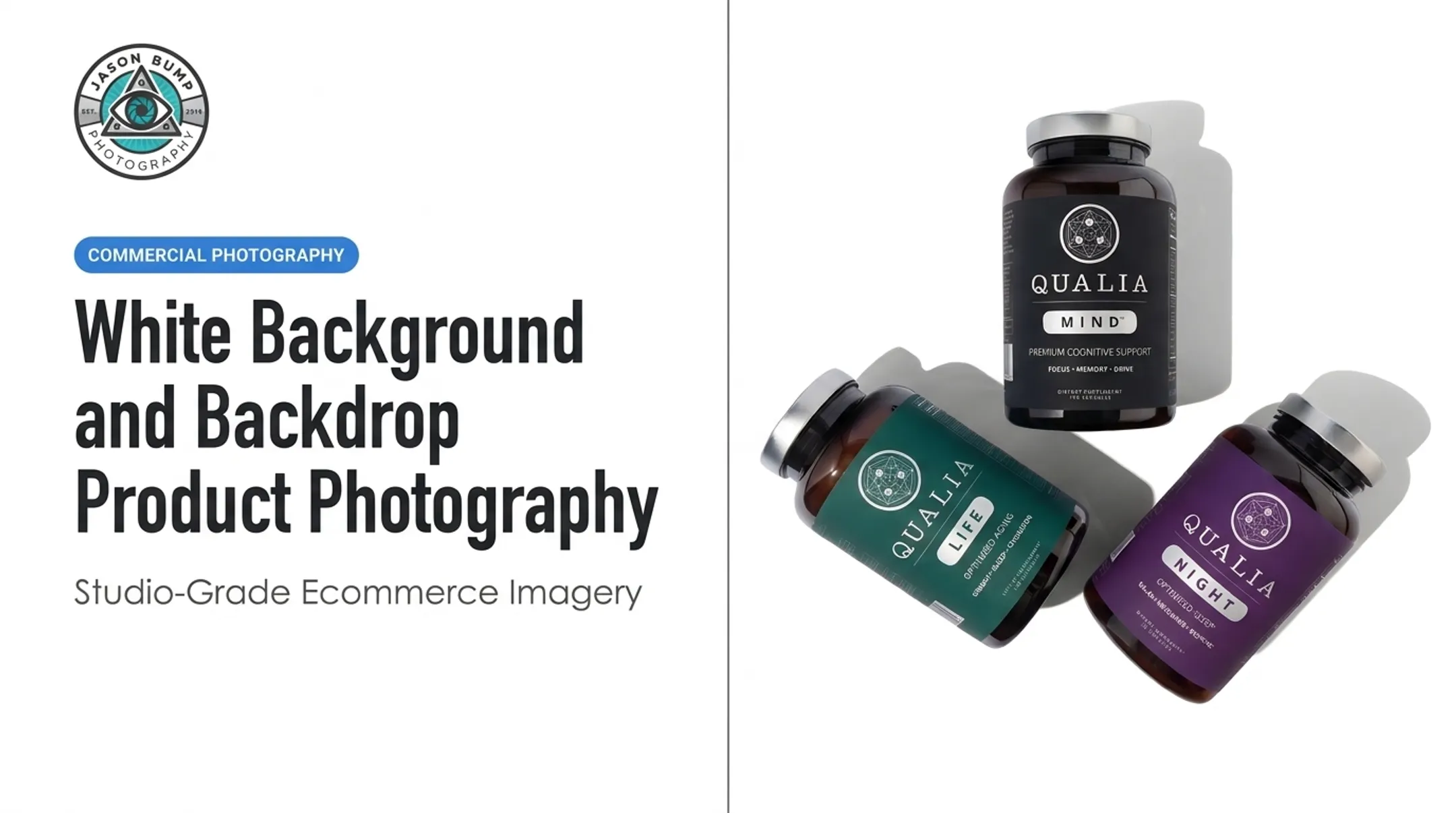
Jason Bump Photography's post-production work shows this clearly in projects like the Neurohacker Collective Qualia bottle series, shot against white with strong directional shadows for depth.
Limitations of the White-Background Look
White backgrounds can feel generic. They strip out context: scale, environment, use case, and emotional pull.
Compare a Gunnar Optiks studio shot against white to a Gunnar campaign image set on a tree stump in a dark forest with themed props. Both have a place, but one tells a story the other can't. When a product needs to communicate lifestyle or scale, lean toward lifestyle imagery instead.
How to Set Up a White Background Studio
Choosing the Backdrop and Preparing the Space
Backdrop choice depends on product size, texture, and durability needs:
| Material | Best for | Watch out for |
|---|---|---|
| Seamless paper | Tabletop and floor shots | Wrinkles, creases, tears |
| Cyc wall | People, larger products | Requires permanent space |
| Vinyl | High-traffic sets | Reflective glare |
| Acrylic | Small reflective products | Fingerprints, scratches |
| Foam core | Quick tabletop setups | Less durable, portable |
A curved sweep (where floor meets wall seamlessly) removes the horizon line that otherwise reads as a hard edge in the frame.

Inspect the backdrop before every session for dust, creases, stains, and scuffs. Leave enough distance between subject and background so shadows, spill, and reflections do not bleed onto the backdrop.
Essential Camera and Studio Equipment
A functional white background setup needs:
- Camera with manual exposure and focus controls
- Stable tripod for locked, repeatable framing
- Lens matched to subject size
- Tethering or reliable on-set image review
- Clamps, stands, reflectors, and flags
- Cleaning tools, spare batteries, and memory cards
Tabletop product setups need less gear than full-length portrait work or high-volume catalog production, where locked positioning and repeatability become critical.
Lighting the Subject and the Background
The core principle: light the subject and background separately. This lets you brighten the background to pure white without blowing out product edges, labels, or fine detail.
B&H's product photography guidance points to a simple starting configuration — one softbox on each side of the product against seamless white. Add a dedicated background light behind the product, out of frame, to control background brightness independently.
A practical lighting sequence:
- Set subject exposure and shape first
- Add background light and check for evenness
- Watch for clipped highlights and gray patches
- Confirm no light spill is hitting the subject's edges

Reflective, metallic, glass, or glossy products need extra care — angle changes, black flags, and diffusion control unwanted reflections without flattening the product's form.
Camera Settings, Color, and Exposure Checks
Manual exposure, fixed white balance, locked focus, and a locked camera position are what make a product batch look consistent. Visual Education recommends metering the background to a specific RGB value rather than assuming pure white is safe. Its workflow targets RGB 253–254 rather than 255, because 255 can mean the background is already two stops overexposed.
Use a histogram or tethered review to catch clipping before it becomes a post-production problem.
Post-Production and Quality Control
Retouching should refine a well-lit capture, not rescue a poorly lit one. At Jason Bump Photography, post on Adidas COPA product images covers background cleanup, exposure and color correction, natural shadow work, and blemish removal. That polish only holds when lighting and exposure were right on set.
How to Plan and Execute a White Background Product Shoot
Define the Image Requirements Before Production
Build a shot list covering every product, variant, angle, and intended channel: online store, marketplace, wholesale deck, or paid social. Confirm file formats, dimensions, naming conventions, and color profile before the camera comes out. Fixing this after the shoot costs time and money.
Prepare Products and Production References
Clean products, assemble components, remove packaging marks, and check labels before the shoot starts. Bring backup units for anything fragile. Reference images and brand guidelines keep everyone (photographer, creative team, and client) aligned on framing and styling expectations.
Establish a Repeatable Batch-Shoot Process
- Shoot a test frame to confirm scale, brightness, color, and shadow treatment
- Once approved, lock camera position, lighting ratios, and product placement marks
- Build in a review checkpoint mid-shoot to catch missing angles or dust before products leave the set

Jason Bump Photography's four-step workflow (Kick-off Call, Planning Phase, The Shoot, Post-Production and Final Approval) follows this same logic, refined over 10+ years of catalog work for brands like Puma Golf and Oakley.
Remote and Contactless Production Workflows
Not every brand can attend a shoot in person. Ship Shoot Sell, Jason Bump Photography's contactless product photography service, lets US-based online brands, marketplace sellers, and agencies mail products to the Vista, California studio without coordinating an in-person visit.
The process:
- A 15-minute call establishes goals and a same-day quote
- A written shot list is sent before products ship
- Products are photographed with professional lighting and camera equipment
- Images are delivered retouched and platform-ready for ecommerce, Amazon, Shopify, social, and print
- Products are returned by prepaid label
Pricing starts at $39 per image with a $300 minimum order, and turnaround starts at 2–3 business days from product receipt. Confirm current pricing directly, since rates can shift.
Deliverables and Final Review
Before launch, run a quality-control pass on every image:
- Sharpness and focus accuracy
- True-to-life product color
- Clean, artifact-free edges
- Even background brightness across the frame
- Consistent scale and orientation across variants
- Correct file naming
Review images at full size and in their intended placement. A small crop error or soft edge might be invisible at thumbnail size but obvious on a product page.
Applications, Common Mistakes, and Takeaways
Common White Background Problems and Troubleshooting
| Problem | Likely fix |
|---|---|
| Background looks gray, not white | Add a dedicated background light; meter it separately |
| Harsh product shadows | Diffuse the light source or increase softbox size |
| Washed-out labels or details | Check for highlight clipping on the histogram |
| Color casts | Turn off ambient room lights; shoot a gray card for white balance |
| Reflections on glossy products | Use black flags and diffusion; adjust product angle |
| Inconsistent crops across SKUs | Lock camera position and framing before the batch |
Choosing Between DIY, a Rented Studio, and a Professional Photographer
DIY setups work for occasional shots of simple, small products. A rented studio or professional photographer makes more sense for:
- Large or reflective products
- High-volume catalogs
- Tight launch deadlines
- Multiple deliverable types (web, print, social)
- Brands needing guaranteed repeatable results
A commercial photographer with creative direction experience brings what a bare white backdrop can't: turning a brief into listing sets, hero shots, and campaign frames that hold up across ecommerce and ads—not just one-off snapshots.
Closing Takeaway and Relevant Next Step
The strongest white background images come from coordinated decisions—backdrop, lighting, product prep, shot list, color control, and retouching working together. No single element carries the set alone.
If your catalog needs dependable, conversion-focused imagery across a full product line, document your image standards first. Then work with a commercial product photographer such as Jason Bump Photography to execute them consistently across ship-in or in-studio shoots.
Frequently Asked Questions
What do photographers use for a white background?
Common options include seamless paper, a cyc wall, vinyl, acrylic, fabric, foam board, or a white wall. Separate, even background lighting is what makes any of these look clean and bright.
What is a white studio called?
Common names include white cyc studio, cyclorama studio, white infinity studio, and seamless studio, depending on construction and use.
How do you create a pure white background in studio photography?
Use dedicated background lights, keep enough distance between subject and backdrop, and expose so the background reads pure white. Flags control spill, accurate white balance keeps color clean, and post-production should stay light and restrained.
Which lighting is best for white background photography?
Soft, controllable strobes or continuous lights with diffusers work best, with the subject and background lit separately. Reflective products need extra adjustments to avoid unwanted glare.
Why is white background photography useful for ecommerce?
It removes visual distractions so shoppers can focus on product details and keeps presentation consistent across a catalog. The same assets also work for listings, retailer materials, and marketing.